How I Sync My Portfolio Using Notion
How a portfolio can be built as a publishing pipeline, with Notion as the source of truth, n8n creating a JSON handoff, Python scripts normalizing content and media, and Next.js exporting the final static site. The result is a cleaner separation between editing, transformation, and publishing, making the site more predictable and maintainable.
For a while now, I have wanted my portfolio to work less like a hand-edited website and more like a publishing pipeline.
I do not want to update the same project information in five places. I do not want portfolio pages to be their own isolated source of truth. I want project data to live upstream in a structured system, get transformed once, and then flow into the site in a predictable way.
That is the setup I use now.
At a high level, the process is simple: I manage project information in Notion, use n8n to assemble that data into a JSON export, run local Python build scripts to turn that export into a static content layer, optimize the media, sync in articles from a separate source, then let Next.js export the site and Firebase serve it.
A lot of the structure in this pipeline is also a holdover from an older project of mine called Folio. The current site no longer runs through Folio itself, but parts of the naming and architecture still come from that earlier phase. That is why one of the main scripts is still called lib/folio-prebuild.py even though the portfolio is now built from Notion, n8n, JSON exports, and static publishing.
I am writing more about that backstory separately at zachary-sturman.com/articles/the-art-of-turning-a-90-minute-task-into-a-2-month-automation-project, but the short version is that I spent a long time trying to build a structured project record that could feed multiple outputs. I no longer use that system directly, but the output-oriented thinking survived, and this pipeline is what that evolved into.
Notion is where the content starts
The source of truth for this setup starts in Notion.
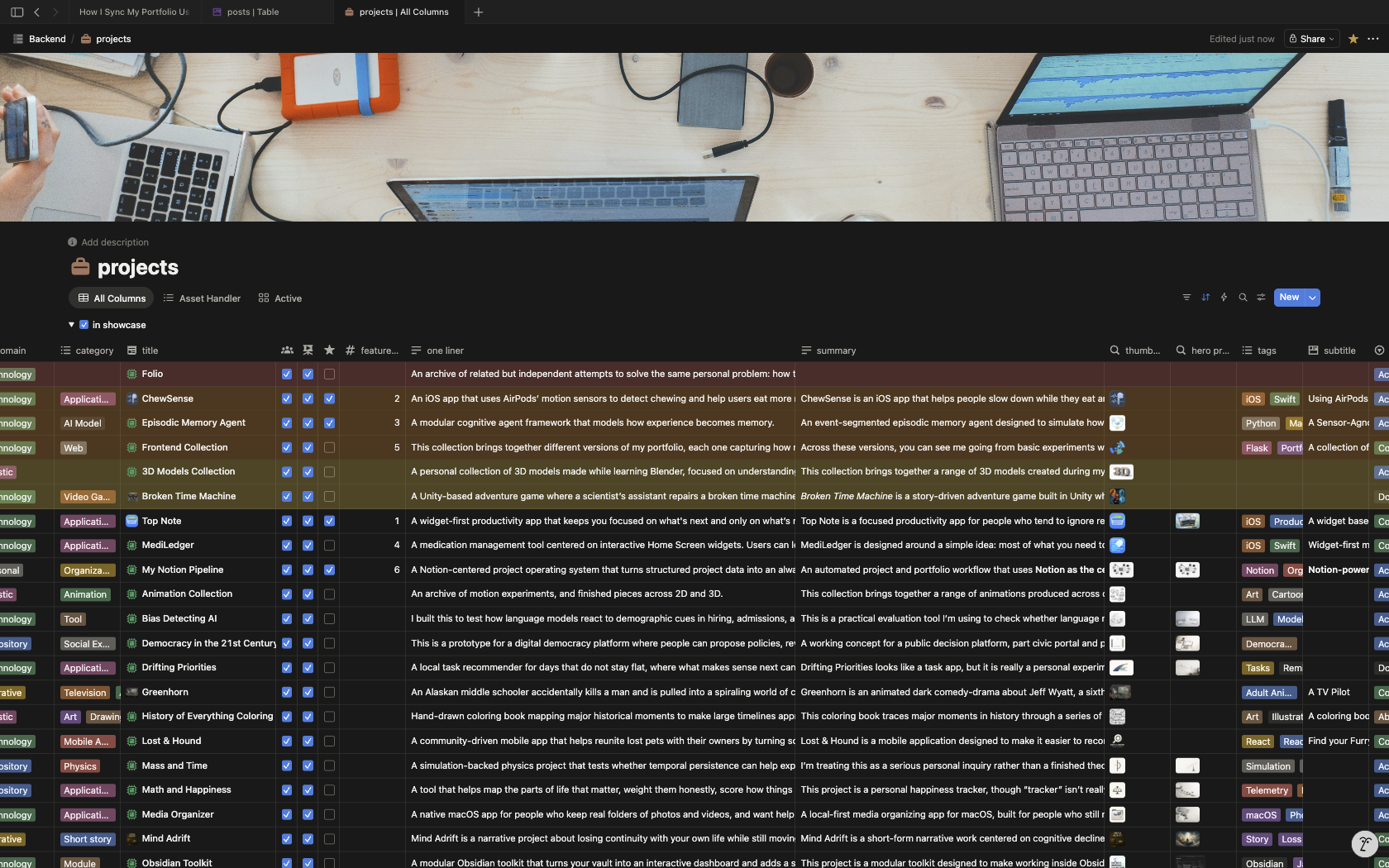
That is where I keep the project information that eventually becomes the portfolio: titles, summaries, statuses, assets, resources, collections, work logs, and other structured relationships that help define a project beyond just a name and thumbnail.
I have a separate article about how I use Notion for this in more detail here:
**zachary-sturman.com/articles/how-i-use-notion-to-track-my-projects**
So I do not want to repeat all of that here. The relevant part for this article is just the handoff: Notion is where the information is authored and organized, but it is not where the portfolio gets assembled.
That distinction matters.
The website does not query Notion directly. The frontend does not know how my databases are structured. The build process does not depend on live requests into my workspace. Instead, I use Notion as the editorial layer, then convert that into a local export the site can build from.
That keeps the website side simpler and makes the publishing process more deterministic.
The shape of this pipeline still comes from Folio
One thing that is probably worth explaining early is why parts of this setup still look the way they do.
The current portfolio pipeline grew out of an older system I built called Folio. That older work went through a lot of versions, but one of the most consistent ideas across them was this: a project should exist as a structured record that can feed multiple outputs.
That could mean a portfolio page, a local document, a media view, an archive, or something else. The exact interface changed a lot over time, but the idea of one structured project record powering more than one destination kept surviving.
That is the relevant part here.
The current pipeline does not use Folio as its runtime system, but it still carries some of that architecture forward. The naming is one example. The reason the build script is still called folio-prebuild.py is not because the current site depends on Folio. It is because the pipeline was reworked from that earlier structure instead of being renamed from scratch after every architectural shift.
So if some of the codebase has older names attached to newer responsibilities, that is why.
If you do not care about the longer backstory, the short version is this: I used to try solving this problem with a much more custom system. Now I use Notion for the editing layer, but I kept the idea that structured project data should be transformed into a reusable content layer before the frontend touches it.
n8n turns the Notion data into a build input
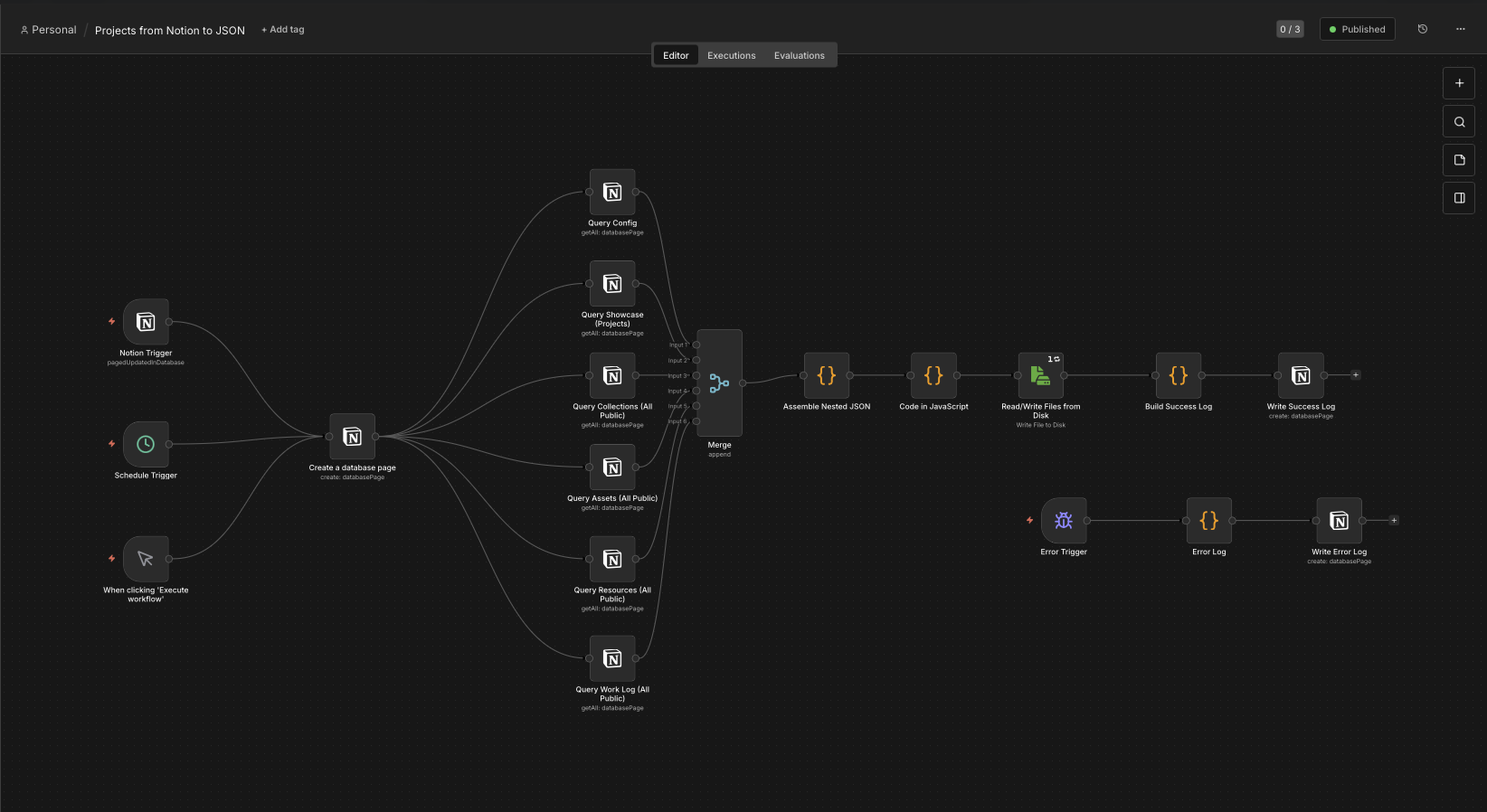
The next step is n8n.
This is the bridge between the editorial structure in Notion and the actual build input used by the portfolio.
My n8n workflow pulls data from several parts of my Notion setup, merges the records together, reshapes them into the structure I want, and writes out a JSON file that the local build step can consume.
In the screenshot above, the workflow is doing a few distinct jobs:
-
it starts from a trigger
-
it queries the relevant Notion databases
-
it merges those streams together
-
it assembles the nested JSON structure
-
it writes the export to disk
-
it logs success or failure back into Notion
That export becomes the portfolio handoff.
This is a useful separation point in the system because it means the site build does not need to know anything about Notion’s API, my database layout, or the internal structure of my workspace. n8n handles the extraction and reshaping, and the repo only needs to deal with the exported file.
That file is new_projects.json.
Once that exists, the website side can treat it as the source input and move on.
Building the routes
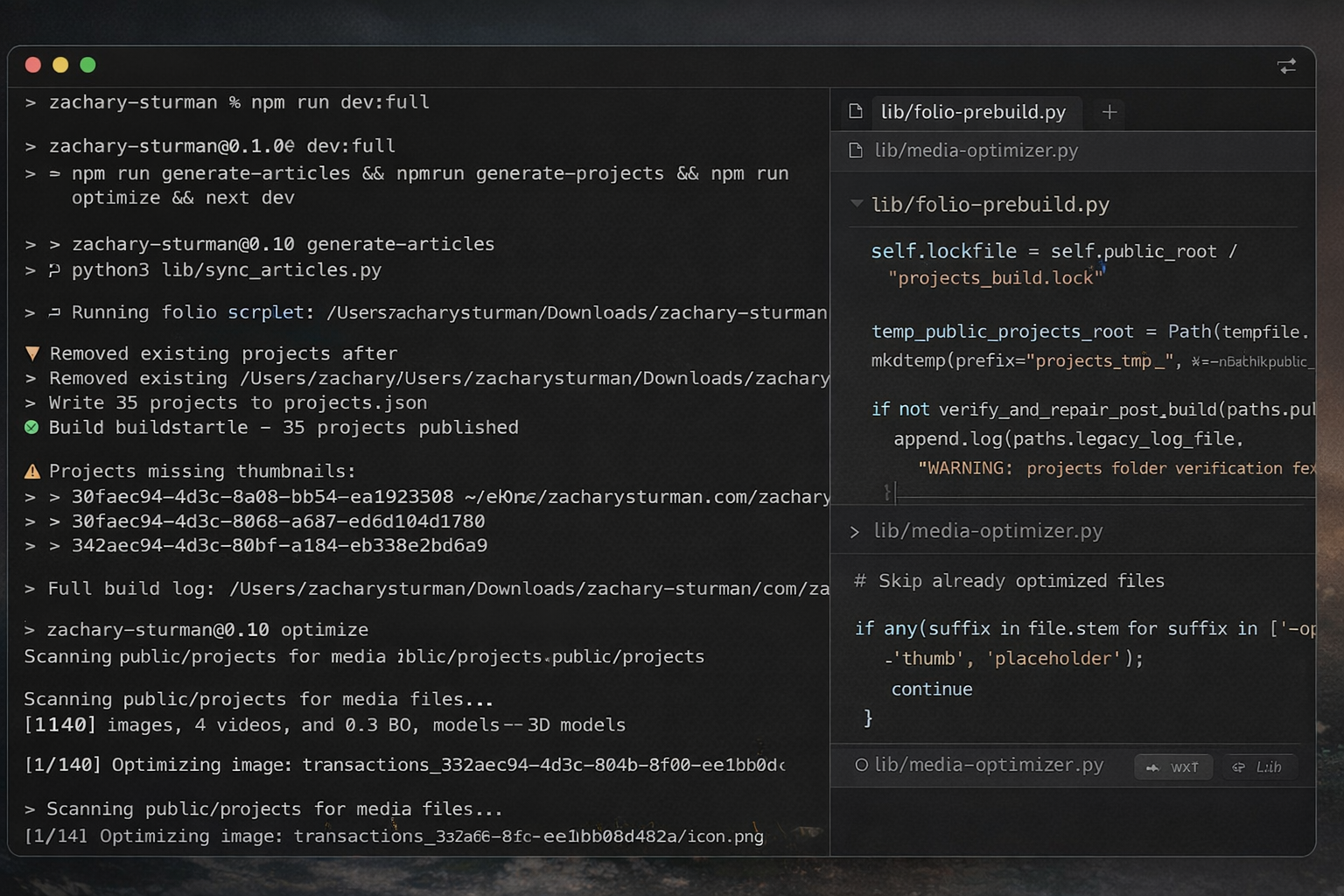
Once the export exists, the portfolio build becomes a local file transformation problem.
That is the point where I stop thinking in terms of Notion pages and start thinking in terms of static site inputs.
The main entry point for that part of the process is lib/folio-prebuild.py.
Even the top docstring in that file says exactly what it is doing:
Build public/projects from n8n-exported new_projects.json.
That is the real handoff.
The script takes the JSON export, passes it into the normalization pipeline, builds the public project output, writes supporting manifests, and publishes the result into the public directory where the site can use it.
The command that matters most here is basically this:
npm run generate-projects
And under the hood, that maps to a Python build step that points at the exported JSON file and runs lib/folio-prebuild.py.
I like this setup because it makes the expensive content-building work explicit. It is not hidden inside deployment. It is not mixed into the frontend runtime. It is a clear, local step.
That also makes it easier to reason about when something goes wrong. If there is a bad field, a missing asset, a malformed relationship, or a path issue, I can catch it at the build layer before it becomes a broken route on the site.
The project build step turns raw records into website-shaped data
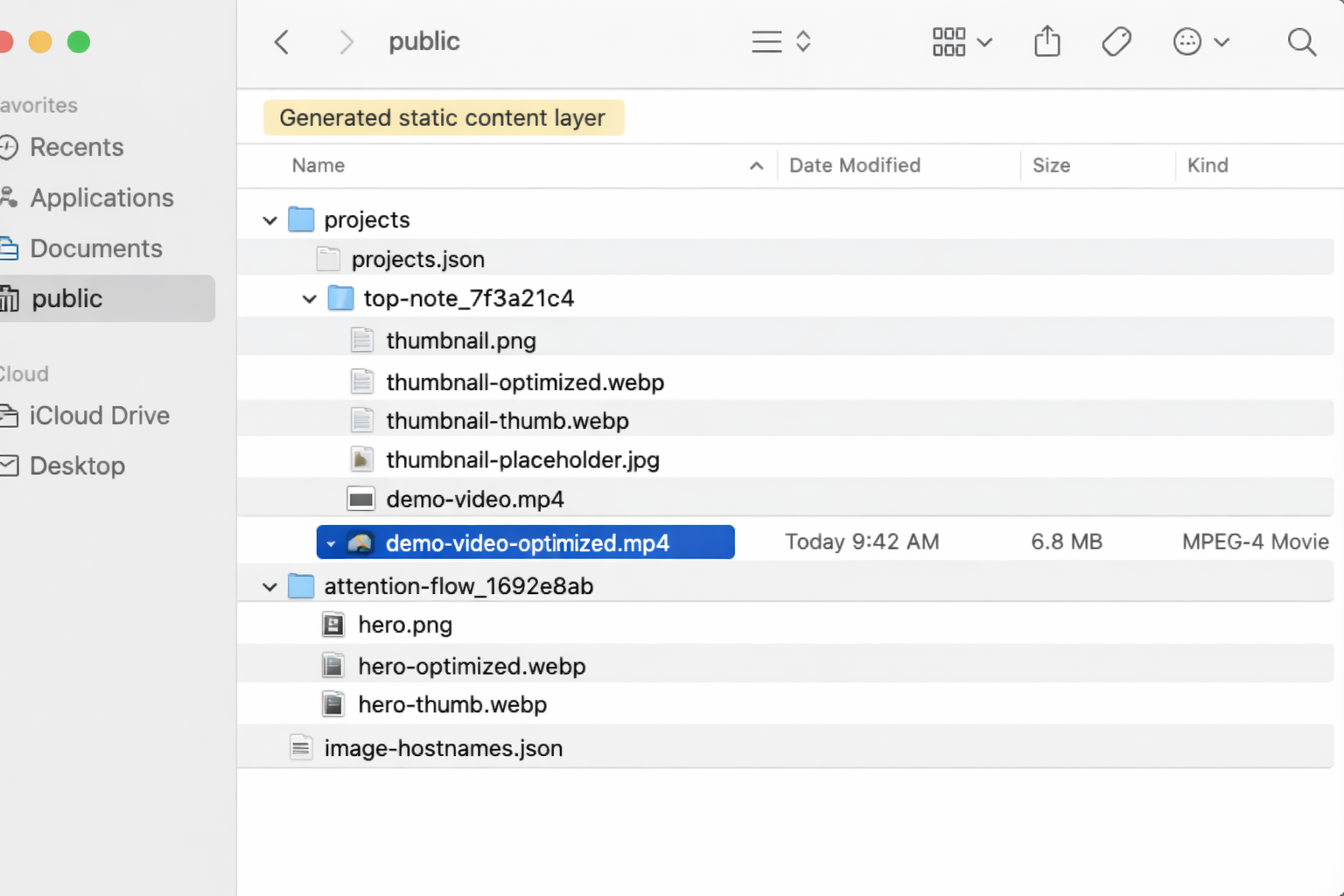
This is the core of the whole process.
The job of the project build step is not just to copy a JSON file from one place to another. It is to take data that is still shaped like an export and normalize it into something the site can actually trust.
That includes a few important steps.
First, it validates the input and builds a normalized project representation. The entry script delegates most of that work into projects_pipeline.py, but folio-prebuild.py makes the role clear: it creates a temporary build directory, calls the pipeline, writes the final output, and atomically replaces the public projects folder.
Second, it creates the project manifest the frontend uses. The script writes a projects.json file into the generated output. That becomes the main data layer for project content on the frontend side.
Third, it writes image-hostnames.json, which gives the frontend a controlled list of external image hosts that are allowed. That is a small detail, but it is part of what makes the build output feel like a complete content layer instead of just a loose export dump.
Fourth, it handles a lot of defensive filesystem behavior. This is one of the places where the older pipeline DNA is still visible, and I think it is useful. The build step uses a lockfile so I do not accidentally run overlapping builds. It writes into a temporary directory first. It atomically replaces the public output when the build succeeds. It keeps a backup path if the old directory cannot be removed cleanly. It also includes repair logic for the cloud-sync issue where a folder can get renamed to something like projects 2 instead of staying canonical.
That part is not glamorous, but it is the kind of detail that makes a local publishing pipeline more trustworthy.
This is also the stage where one abstract project record becomes something much closer to a real page on the site. Titles, slugs, paths, media locations, related resources, collections, work logs, and article references all start getting shaped into the form the frontend expects.
This is where the portfolio stops being “my project data” and starts being “the site’s content layer.”
Every project gets a canonical route and a stable public folder
One of the important outcomes of the build step is that each project gets a canonical route and a stable public folder.
That matters because a portfolio stops feeling solid pretty quickly if the URL structure is inconsistent or if media paths are fragile.
The pipeline solves that by normalizing titles into stable slugs, generating clean hrefs, and copying referenced media into project-specific folders under public/projects/....
In practice that means the project data can be authored upstream however I need it to be, but by the time it reaches the site it has a canonical route shape. The frontend is not guessing how to build project URLs from raw records. It gets a clean manifest that already encodes that decision.
Conceptually it looks like this:
project record

→ normalized slug

→ canonical href

→ generated project folder in public/projects/

→ route rendered by the site
That is one of the reasons I like doing the normalization before the frontend touches anything. It keeps the React and Next.js side of the system much thinner.
The frontend does not need to negotiate the messy version of the data. It only has to render the cleaned version.
Articles are a second content source
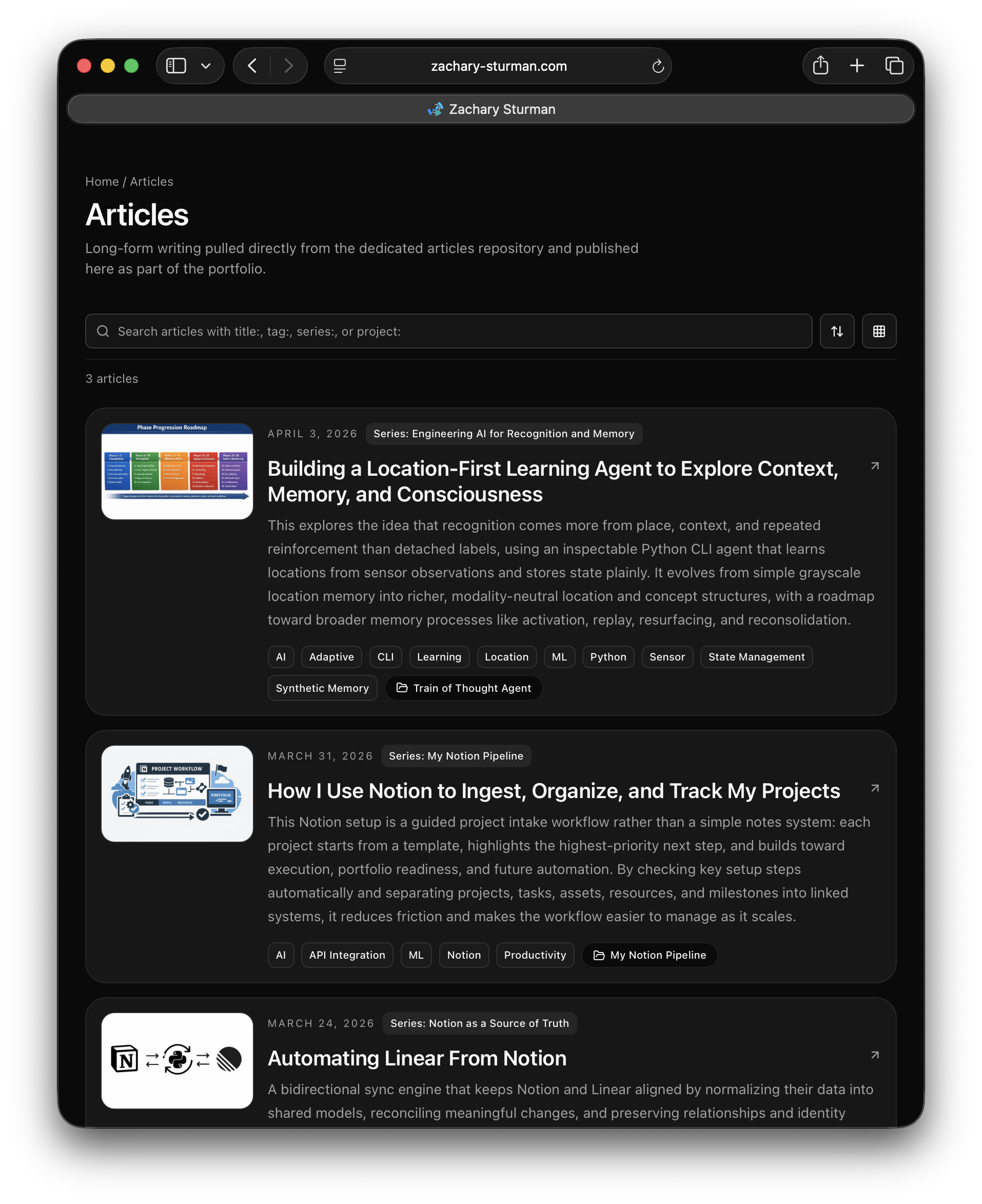
The portfolio is not built from project JSON alone.
Articles come in through a separate sync process.
That matters because the site is not just a projects grid. It also includes writing, and I wanted articles to live in a structure that could be generated and normalized the same way instead of being hand-wired page by page.
The article sync stage pulls from a separate repository, discovers the available markdown content, rewrites relative links into portfolio-local paths, copies referenced assets, and builds out a normalized article structure under public/articles.
It also resolves project references in article frontmatter into canonical project IDs. That is a small but important detail, because it keeps article-to-project links stable even if the original reference came in as a title, slug, or some other upstream identifier.
That gives me a content model where projects and articles are separate sources, but both end up flowing into the same static publishing layer.
So even though the project data and article content start in different places, they get normalized into a shared output shape before the site is exported.
Media optimization is part of publishing, not just cleanup
After the raw project media is copied into the public project folders, there is another step that matters just as much: optimization.
That happens in lib/media-optimizer.py.
The goal here is to generate the versions of the media that the site actually wants to serve, not just preserve the originals.
For images, that means creating optimized WebP versions, smaller thumbnail variants, and blur placeholders for loading states. For videos, it means generating smaller web-ready MP4 files along with thumbnails and placeholders. For some 3D assets, it can also convert models into formats that are easier to serve on the web.
The point is not just to compress files for the sake of compression. It is to make the output layer actually reflect the way the frontend wants to consume media.
That is why I think of this as part of publishing rather than maintenance.
The script itself is very direct about this. It defines the optimized variants, checks for tools like ffmpeg, handles images, videos, SVGs, and some 3D models, and writes the generated assets alongside the originals with consistent suffixes like:
image.jpg

image-optimized.webp

image-thumb.webp

image-placeholder.jpg

video.mp4

video-optimized.mp4

video-thumb.jpg

video-placeholder.jpg
That is also why the Git strategy makes sense the way it does. The optimized derivatives are part of the site output. They are not disposable side products.
The frontend treats the generated output like a static content API
Once the project build, article sync, and media optimization steps are finished, Next.js can treat the generated files as a content layer.
That is one of the cleanest parts of the architecture.
The frontend does not need to know where the data came from upstream. It does not need to understand Notion or n8n. It does not need to rebuild relationships on the fly. It just reads the manifests and files that were already generated.
The homepage reads from the generated project manifest. Project detail pages and article routes are derived from the generated content. Media helpers can request the optimized variants automatically. And because the site is configured for static export, the build writes a fully static output that can be hosted directly.
That means the architecture ends up looking something like this:
Notion + article source

→ export + sync

→ normalized manifests + copied media

→ optimized delivery assets

→ Next.js static export

→ deployed portfolio
I like this because it gives me a dynamic editing process upstream and a very static, predictable delivery layer downstream.
Those are different jobs, and I do not think they need to be solved in the same place.
I keep the expensive assembly work local before push
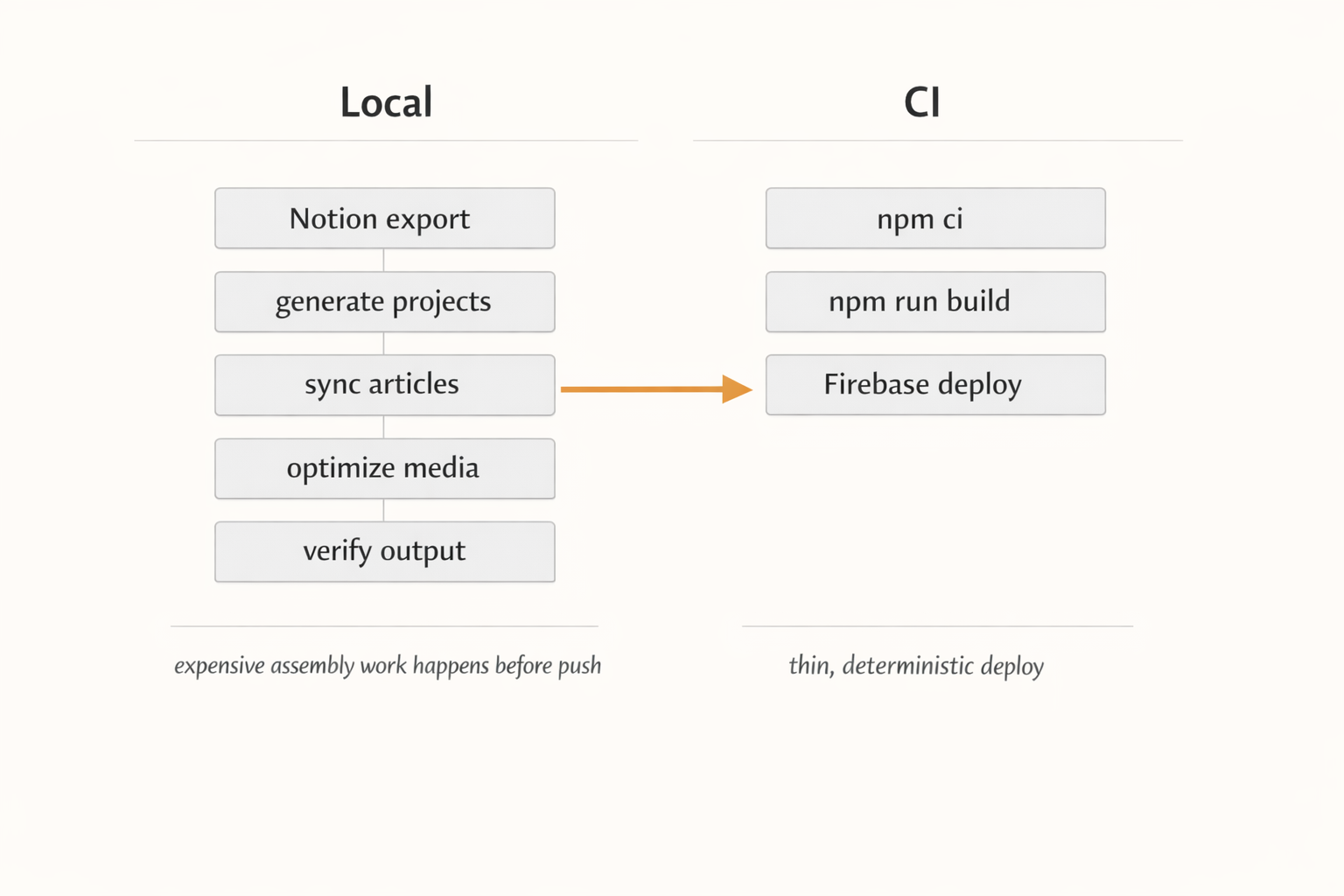
One of the biggest design decisions in this setup is that content generation happens before push, not inside CI.
That means the local machine does the heavier work:
-
generate project data from the exported JSON
-
sync articles
-
optimize media
-
verify the output
Then CI stays relatively thin.
GitHub Actions does not regenerate project data, rebuild article content from scratch, or run the expensive media pipeline as the primary publishing step. It mainly installs dependencies, runs the site build, and deploys the already-generated state.
I like that separation for a few reasons.
First, it keeps deploys faster and more deterministic. The build server is not trying to replicate my whole content-generation environment.
Second, it means the checked-in generated artifacts are part of the known state of the repo. The build is using a precomputed content layer instead of hoping the upstream dependencies behave the same way in CI every time.
Third, it makes the workflow easier to reason about. The assembly process is local and inspectable. The deploy process is mostly just packaging and publishing.
That is a much calmer model than doing everything in one step on every push.
There are a lot of guardrails because local build pipelines are easy to trust until they break
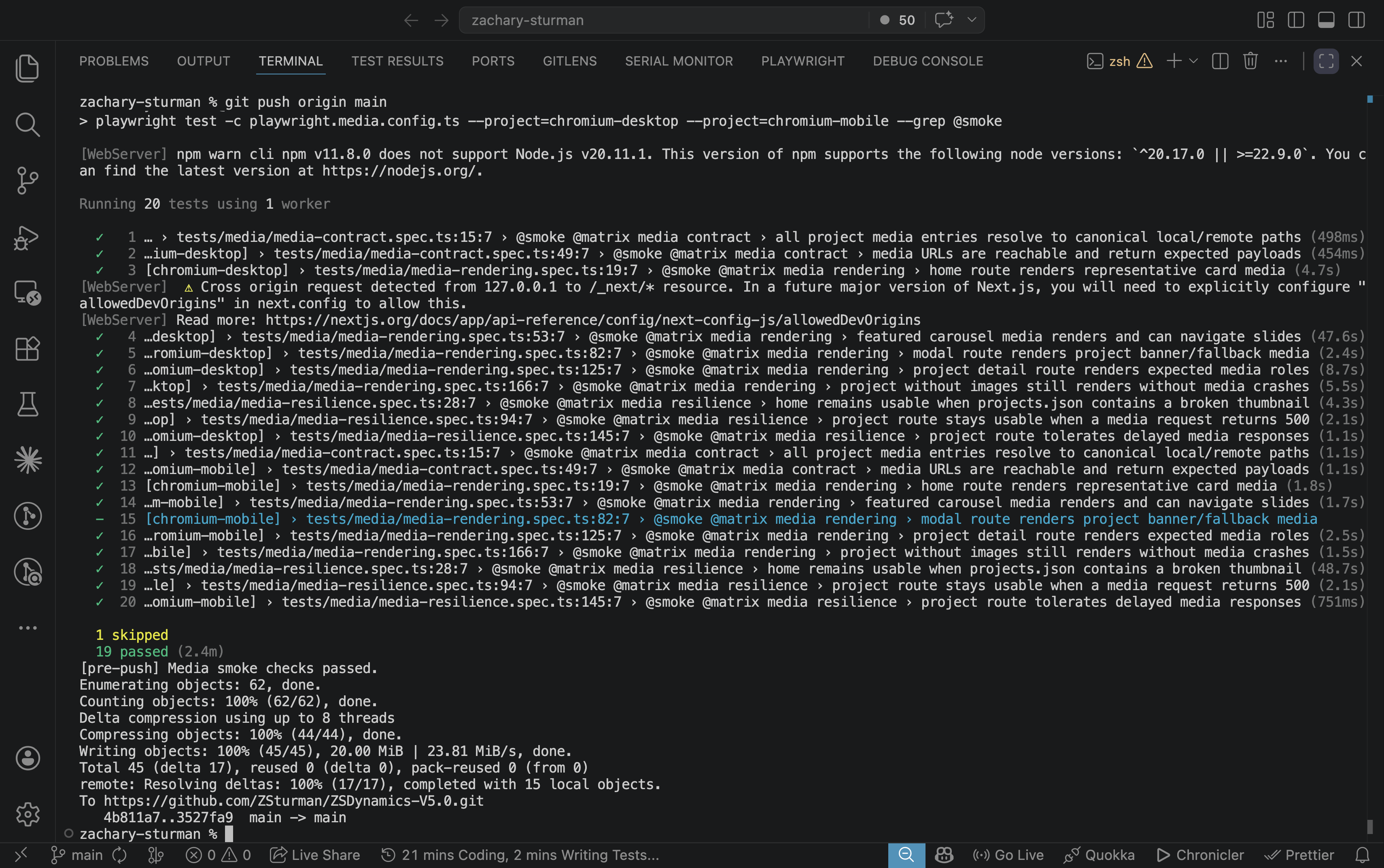
A local publishing setup like this is only useful if it is hard to accidentally break.
That is where a lot of the more defensive details start to matter.
The build script uses a lockfile so I do not run overlapping builds into the same public directory. It writes into a temporary directory first and only replaces the output when the build has succeeded. It can back up the old generated folder before replacement. It includes cleanup logic for stale backups and stray sibling directories. And it even has post-build verification and repair logic for cloud-sync rename collisions.
The media layer has similar practical concerns. It checks for tool availability, handles different file types differently, and can batch-optimize entire directories while skipping already-generated derivatives.
None of that is particularly article-friendly in a visual sense, but it is the part of the system that keeps the whole thing from feeling brittle.
There is also a broader quality gate before deployment. Unit tests cover transformation logic, browser tests cover key user-facing flows, and the pre-push hook is strict about generated media being in a clean state.
That is important to me because generated content pipelines are one of those things that can feel stable right up until one missing asset, stale file, or half-finished build quietly makes it into production.
I would rather the system be annoying early than surprising late.
Why I still like this architecture
The main reason I like this setup is that it gives me a good boundary between authoring and publishing.
Notion is good for structured editing and maintaining the project record. n8n is good at assembling that into a clean handoff. Python is good at normalization, copying, repairing, and turning that handoff into a static content layer. Next.js is good at rendering the final result once the content is already in the right shape.
Each part has a clear job.
And even though a lot of this architecture still carries the shape of older experiments like Folio, I think that is fine. That history is the reason the system looks the way it does. I did not arrive at this setup by designing a perfectly clean pipeline from scratch. I arrived here by repeatedly trying to solve the same underlying problem, then keeping the parts that still felt useful once I stopped wanting to maintain a fully custom app.
So the current portfolio is less of a standalone site and more of a publishing endpoint.
The work of structuring the project data happens upstream. The work of normalizing and packaging it happens locally. The site just serves the result.
That feels like the right division for me right now.
If you are building something similar, that is probably the main takeaway I would offer: do not make your frontend solve editorial and publishing problems if you can solve them once upstream instead.
Closing
This pipeline is not just a way of updating my website. It is the current version of a longer idea I have been iterating on for years.
The older Folio work is the reason parts of the naming and structure still look the way they do. Notion is the reason the day-to-day editing side now feels lighter. n8n is the bridge that turns structured records into a usable export. The Python scripts are where the portfolio becomes website-shaped. And the static build is what lets the final site stay simple.
That combination works better for me than trying to make one custom tool do everything.
It lets me keep the structured project record idea that I still care about, without also turning the maintenance of the system itself into the main project.
Keep reading
More from the portfolio
Related and recent articles
Automating Linear From Notion
A bidirectional sync engine that keeps Notion and Linear aligned by normalizing their data into shared models, reconciling meaningful changes, and preserving relationships and identity across systems.
March 25, 2026
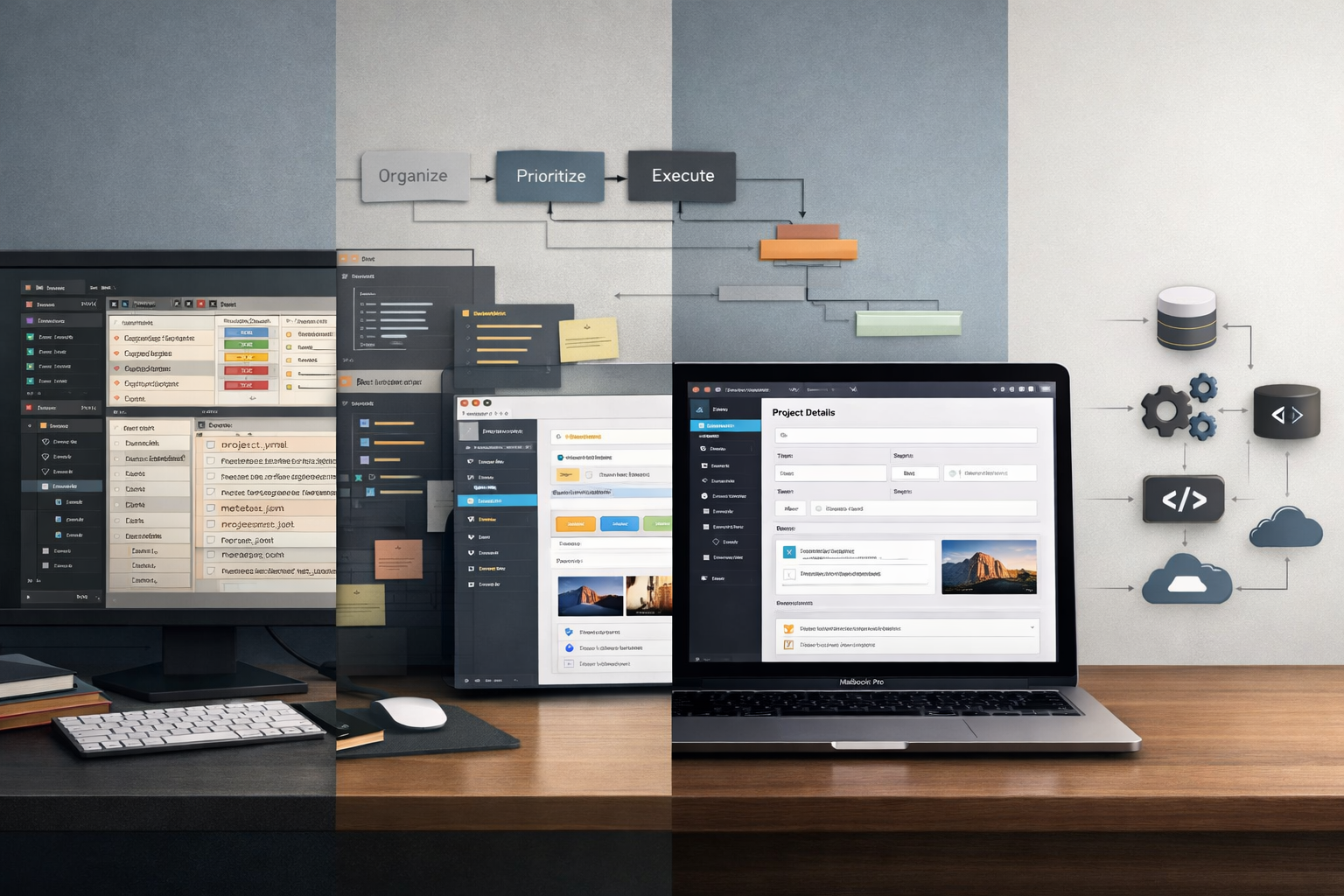
The Art of Turning a 90-Minute Task Into a 2-Month Automation Project
The article traces the evolution of four systems - Obsidian + Project Management App, OPE, RPOVault, and Folio - built to keep project metadata, files, and a public portfolio in sync without constant duplication. Each version clarified the value of structured project records, but also exposed the growing maintenance cost of owning every layer, especially around files, media, and editing workflows. The final takeaway is that integrating existing tools like Notion, n8n, GitHub Actions, and Firebase solves the real problem more effectively than continuing to maintain a complex custom application.
April 8, 2026
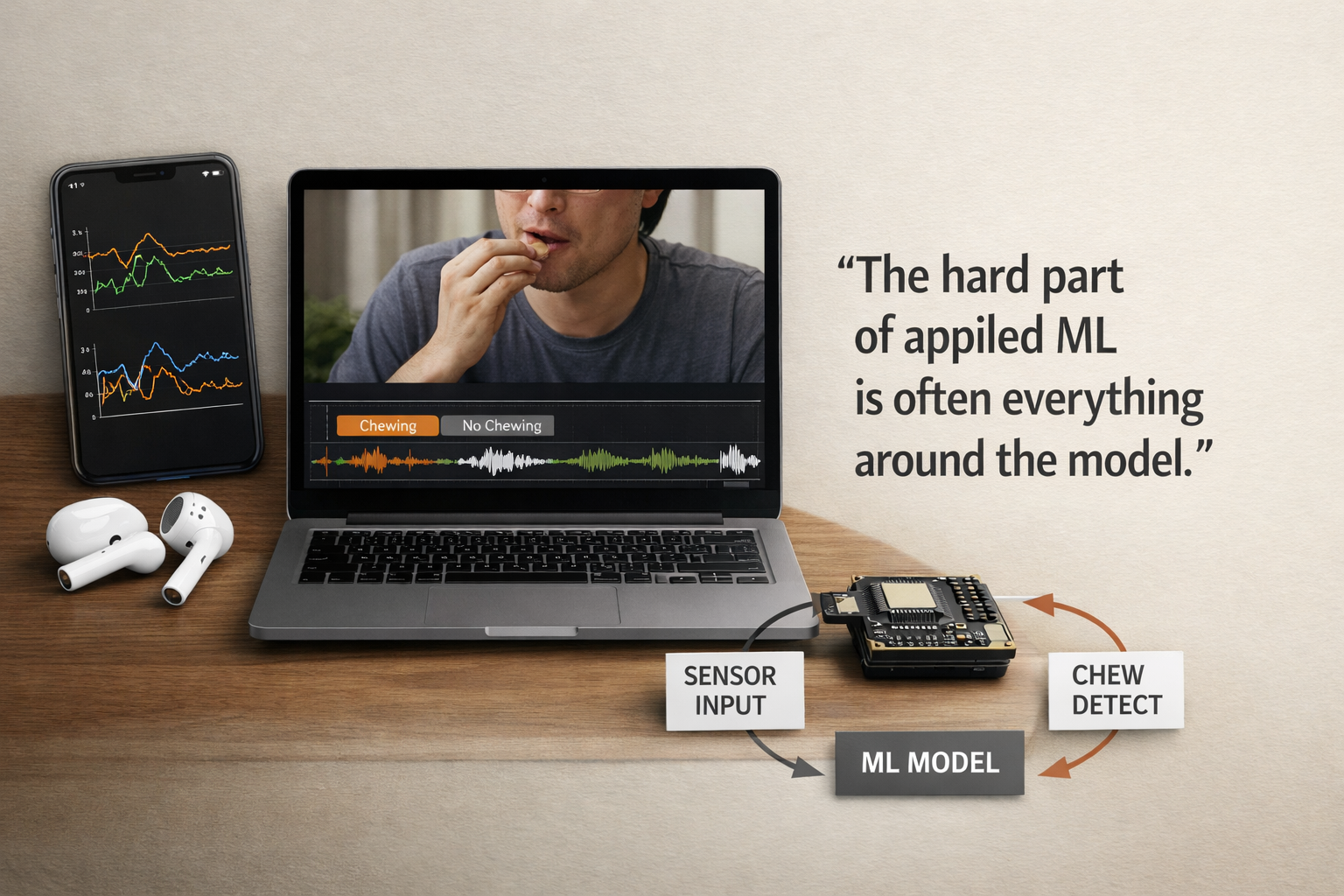
Building ChewSense - Using Motion Data For An On-Device AI Health Agent
This article traces how ChewSense evolved from early experiments with raw AirPods motion signals into a structured pipeline for session collection, video-assisted labeling, feature extraction, model training, and on-device inference. The core lesson is that the hardest part of applied ML was not just training a model, but building the surrounding system needed to collect trustworthy data, preserve feature parity, and make runtime behavior believable.
April 7, 2026
Building a Location-First Learning Agent to Explore Context, Memory, and Consciousness
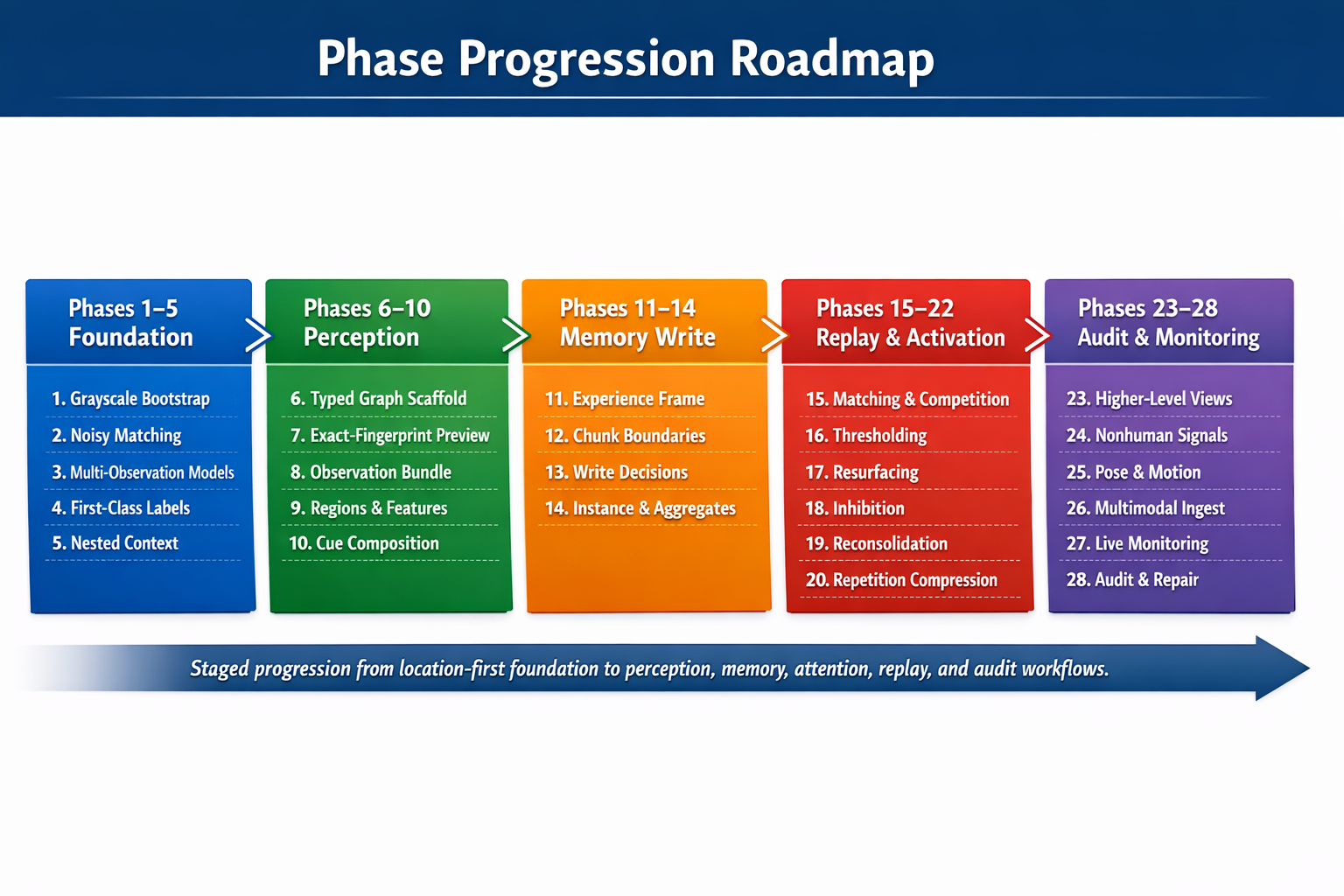
This explores the idea that recognition comes more from place, context, and repeated reinforcement than detached labels, using an inspectable Python CLI agent that learns locations from sensor observations and stores state plainly. It evolves from simple grayscale location memory into richer, modality-neutral location and concept structures, with a roadmap toward broader memory processes like activation, replay, resurfacing, and reconsolidation.
April 4, 2026
Projects connected to this article

My Notion Pipeline
An automated project and portfolio workflow that uses Notion as the central source of truth for capturing, organizing, maintaining, and publishing work across its full lifecycle. What began as a folder-based system built on local files and .project.json evolved into a relational Notion workspace that connects project metadata, work logs, tasks, milestones, media, and documentation in one structured environment. Inside Notion, the system uses formulas, required-action logic, severity scoring, and visual workflow signals to make project readiness measurable and easier to manage. That structure reduces duplicate entry, improves documentation quality, and keeps projects consistently maintained as they move from idea to execution to presentation. When project data reaches the right state, n8n detects qualifying changes and assembles portfolio-ready JSON, which is then sent into a Python-based build pipeline that prepares content and media for a static portfolio site. Linear supports issue tracking, GitHub stores code and optimized assets, and Firebase Hosting serves the finished site. The result is a connected operating system for project operations and portfolio publishing: one that keeps documentation, execution, and presentation aligned with the real state of the work over time.
Towardbetter.me - Announcement Page
TowardBetter.me is a platform designed to help women find supportive communities around life transitions, personal growth, and difficult moments that are often navigated alone. I was brought on to build an announcement page that could clearly communicate the mission of the project while laying the technical groundwork for what would eventually become a larger, authenticated platform. The goal was to create something simple, welcoming, and trustworthy—an entry point that felt intentional rather than promotional. The site was built with React and Next.js, with Firebase Authentication integrated to support future user accounts and onboarding flows. From the beginning, the focus was on clarity and structure: clean UI, predictable behavior, and a codebase that could evolve without needing to be rethought later. This project served as both a public-facing introduction and a technical foundation for what TowardBetter.me would grow into.

Episodic Memory Agent
An event-segmented episodic memory agent designed to simulate how an intelligent system perceives, interprets, and organizes experience over time. The architecture centers on a strict cognitive loop—resolving location, identifying entities, detecting change—and freezing those moments into structured episodes. Built with swappable modules, strict invariants, and full logging, the system prioritizes learning over hardcoded assumptions, user-defined semantics over predefined categories, and reproducible behavior over opaque heuristics.